Open a policy from the Policy Portfolio to enter its Policy Workspace. The workspace keeps current position, contract structure, premium activity, capital events, loans, documents, and recorded history separated into six tabs.
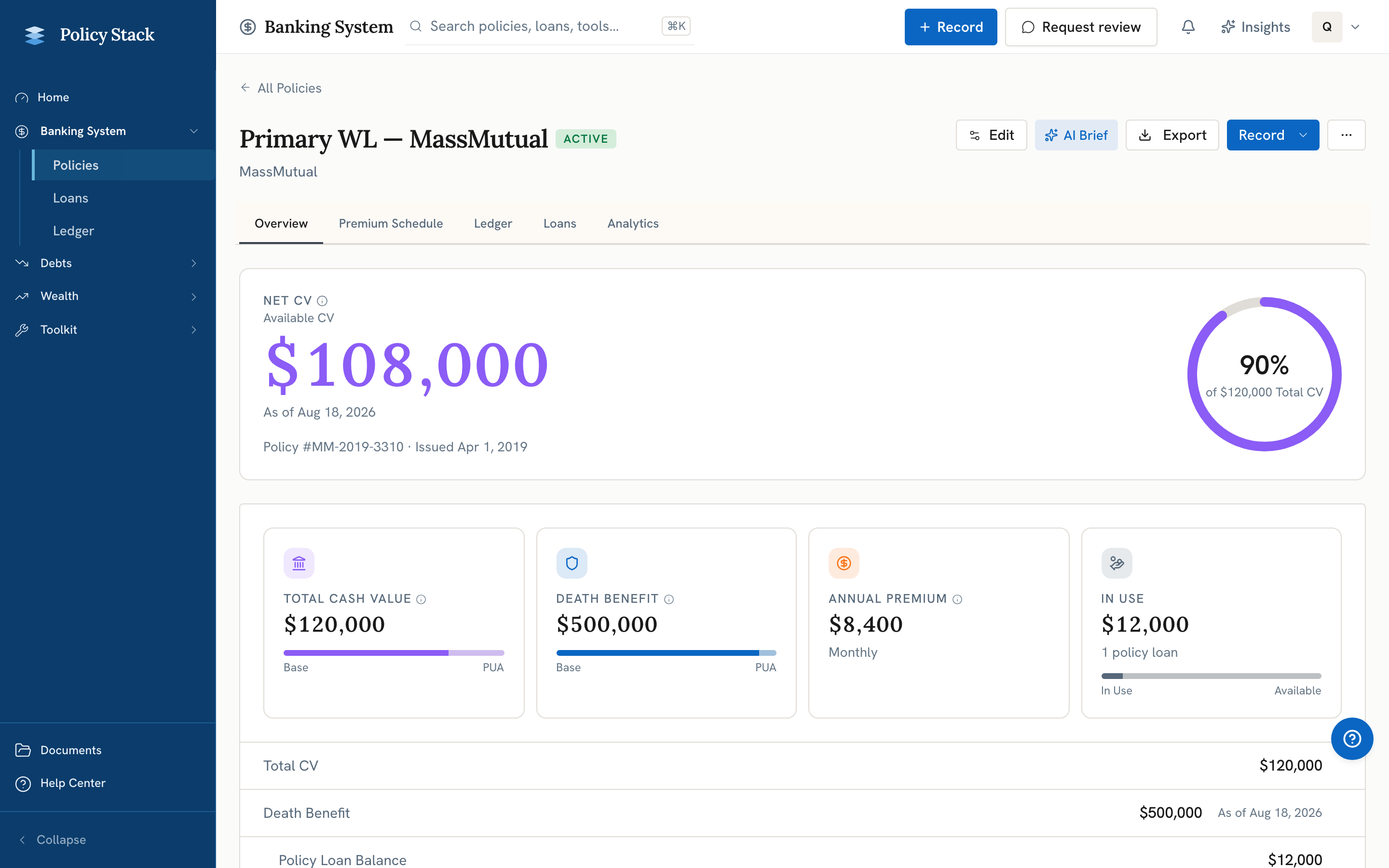
Overview
Overview leads with the policy's Net Cash Value, shown alongside a ring that visualizes Net Cash Value as a share of Total CV. Below it, metric cards separate Total CV from Loan Balance using the latest recorded snapshot, each with a small composition bar (Base vs. PUA, or Loan Balance vs. Available). Supporting metrics include death benefit, scheduled annual premium, and loan-to-value context.
The editable policy ledger below holds contract facts such as Base and PUA premium, riders, dividend option, loan method, and limited-pay structure. Its premium schedule provides a compact summary without replacing the dedicated Premium Schedule tab.
Premium Schedule
Use Premium Schedule for:
- Planned annual Base and PUA amounts
- Calendar and schedule details
- Recorded premium-payment history
- Premium recording preference for Base and optional Planned PUA
- Manual Log premium entries
- Backfill history for older Base and PUA payments, entered by hand or pre-filled from a carrier statement or transaction history on Builder Pro